> ## Documentation Index
> Fetch the complete documentation index at: https://docs.getnativeflow.com/llms.txt
> Use this file to discover all available pages before exploring further.
# Two Ways to Build
> Building visually in NativeFlow Studio versus building programmatically with an AI agent.
 **Two Ways to Build**
NativeFlow Studio supports two approaches to building an app.
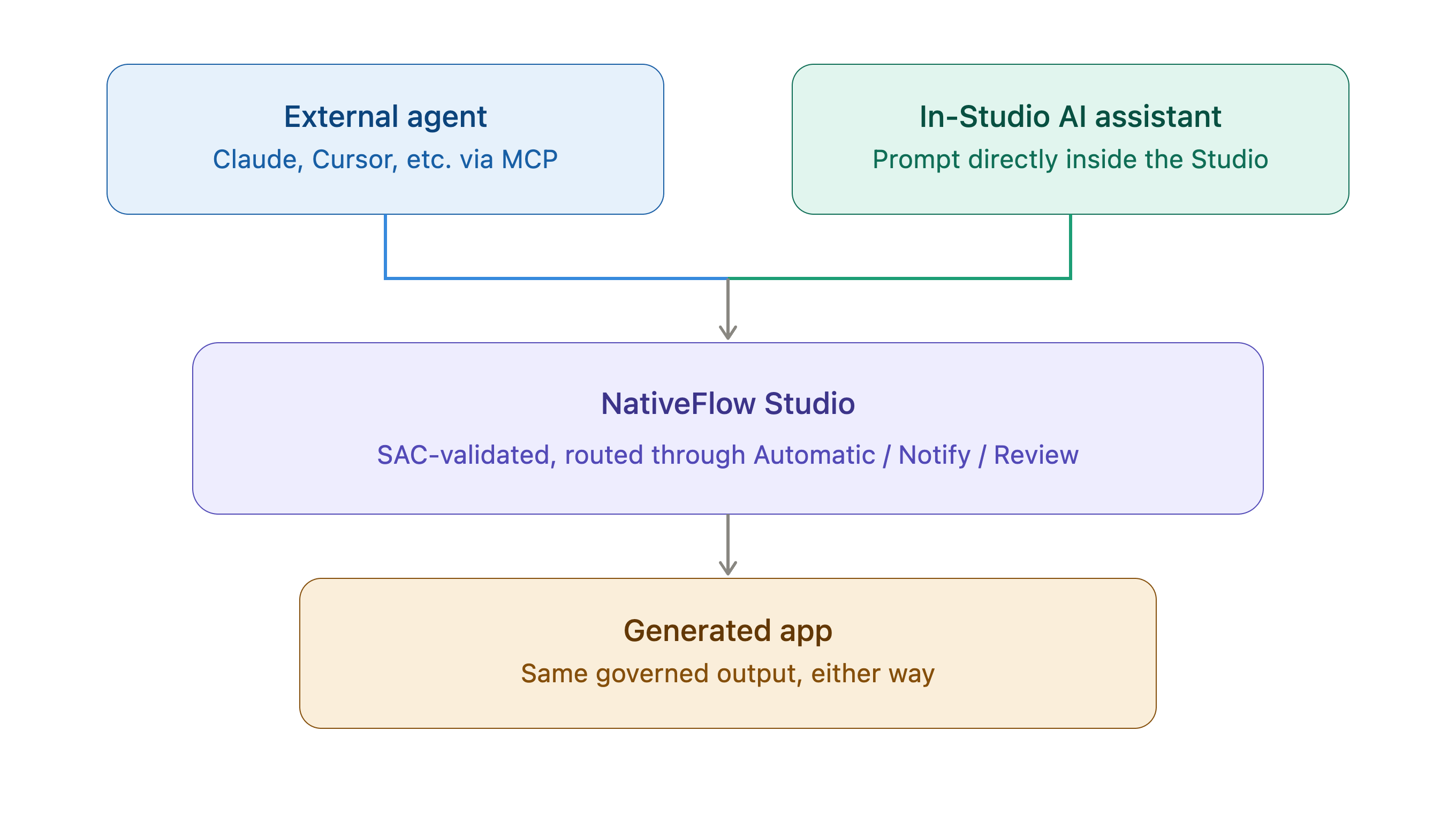
The first is through an external agent. Using an agent of your choice, such as Claude or Cursor, connected to NativeFlow Studio via MCP, you can build the entire app from outside the Studio. The agent writes into the Studio the same way it would through any other MCP-governed tool surface, subject to the same SAC validation and change router as any other Agent-authored change.
The second is through **Studio Assistant**, the AI assistant built into the Studio itself. Instead of connecting an external agent, you prompt this assistant directly inside NativeFlow Studio, and it builds the app for you in the same environment.
Both approaches produce the same governed, SAC-validated output, the difference is where the Agent lives: outside the Studio via MCP, or inside the Studio as a built-in assistant.
**Two Ways to Build**
NativeFlow Studio supports two approaches to building an app.
The first is through an external agent. Using an agent of your choice, such as Claude or Cursor, connected to NativeFlow Studio via MCP, you can build the entire app from outside the Studio. The agent writes into the Studio the same way it would through any other MCP-governed tool surface, subject to the same SAC validation and change router as any other Agent-authored change.
The second is through **Studio Assistant**, the AI assistant built into the Studio itself. Instead of connecting an external agent, you prompt this assistant directly inside NativeFlow Studio, and it builds the app for you in the same environment.
Both approaches produce the same governed, SAC-validated output, the difference is where the Agent lives: outside the Studio via MCP, or inside the Studio as a built-in assistant.