

NativeFlow Studio
NativeFlow Studio is an Agent-Native enterprise mobile app development platform for building React Native / Expo apps. Agents connect to the Studio through MCP (Model Context Protocol) and handle the build:- Apply the design system defined by the Designer
- Generate the application flow from the PRD defined by the Product Manager
- Bind API endpoints to components and sequence calls to drive application logic
- Write the cloud and serverless functions needed for end to end functionality
The Problem It Solves
AI coding agents can already generate mobile application code quickly. The challenge is not generating code. The challenge is building complete, production ready applications that can be reviewed, integrated, deployed, and maintained using a consistent development workflow. Taking an application from concept to production involves much more than generating user interface code. A production ready application requires backend integrations, business logic, serverless functions, API orchestration, application configuration, testing, deployment, and ongoing lifecycle management. Current AI assisted development is often fragmented across multiple tools. Different stages of the application lifecycle are handled in separate environments, requiring developers and AI Agents to switch contexts and manually synchronize artifacts. This increases development effort, introduces inconsistencies, and makes it difficult to build and maintain production ready applications efficiently.Unified Development Environment
NativeFlow Studio addresses these challenges by providing a unified development environment for the complete application lifecycle. Developers and AI Agents work within a single workspace to design applications, implement business logic, author serverless functions, configure enterprise integrations, manage application assets, generate production ready React Native or Expo applications, and prepare them for deployment. All development activities operate on the same application model, allowing changes to be authored, validated, and generated without moving between disconnected tools. This reduces context switching, improves consistency across generated artifacts, and provides a common foundation for validation, governance, and deployment.Determinism
NativeFlow Studio uses a two pass generation process. In the first pass, the AI Agent generates a Blueprint within the Studio. The Blueprint is a structured representation of the application that captures the page hierarchy, components, design system bindings, data models, navigation, integrations, serverless functions, and API orchestration. In the second pass, the Blueprint is processed by the Code Generator to produce the React Native or Expo application. Since the Blueprint is the single source of truth for code generation, the same Blueprint always produces the same application. Code generation is therefore deterministic and repeatable rather than being regenerated independently by the AI Agent for every build.Guardrails
Every change made by an AI Agent is validated against the Studio Authoring Contract (SAC). The SAC defines the structure, capabilities, and constraints that govern what an Agent is allowed to create or modify within the Studio. Validation occurs during authoring, ensuring that changes conform to the expected schema before they become part of the application. This prevents structurally invalid or unsupported artifacts from being introduced into the project and provides a consistent authoring model for both developers and AI Agents.Governance
NativeFlow Studio provides complete visibility into every artifact generated during application development. Developers and architects can inspect the application structure, component hierarchy, design system usage, serverless functions, integrations, and API orchestration directly within the Studio. Because every generated application is derived from a deterministic Blueprint and every modification is validated through the Studio Authoring Contract, all generated artifacts remain traceable, reviewable, and reproducible. This provides a governance model where application behavior can be understood, audited, and evolved throughout the software lifecycle without relying on opaque AI generated output.Single Source of Truth
Designers, Product Managers, Architects, and Developers all push their artifacts into one shared environment inside NativeFlow Studio. The Design System and Storyboard from the Designer, the User Journeys from the Product Manager, the API Contracts from the Architect, and the API Orchestration, Functions, and Integrations from the Developer all live in the same place instead of scattered across separate tools. Each role reviews, modifies, and approves the artifacts relevant to them before anything moves forward. A Designer’s Design System and Storyboard, a Product Manager’s User Journeys, an Architect’s API Contracts, a Developer’s API Orchestration, Functions, and Integrations, all go through the same review and approval step inside the Studio, not in a disconnected doc or slide deck. Once approved, these artifacts become the actual input the Agent builds from. The Agent isn’t working off a static brief handed down at the start, it’s building against the same live, approved source every role has reviewed. This closes the gap between what was specified and what gets built, because there’s no translation step where intent gets lost between a User Journey, a Design System, and the code. That’s what makes NativeFlow Studio a single source of truth: not just that everyone’s artifacts live in one place, but that the Agent’s build input is that same reviewed, approved place, with full Git-based audit traceability on every change.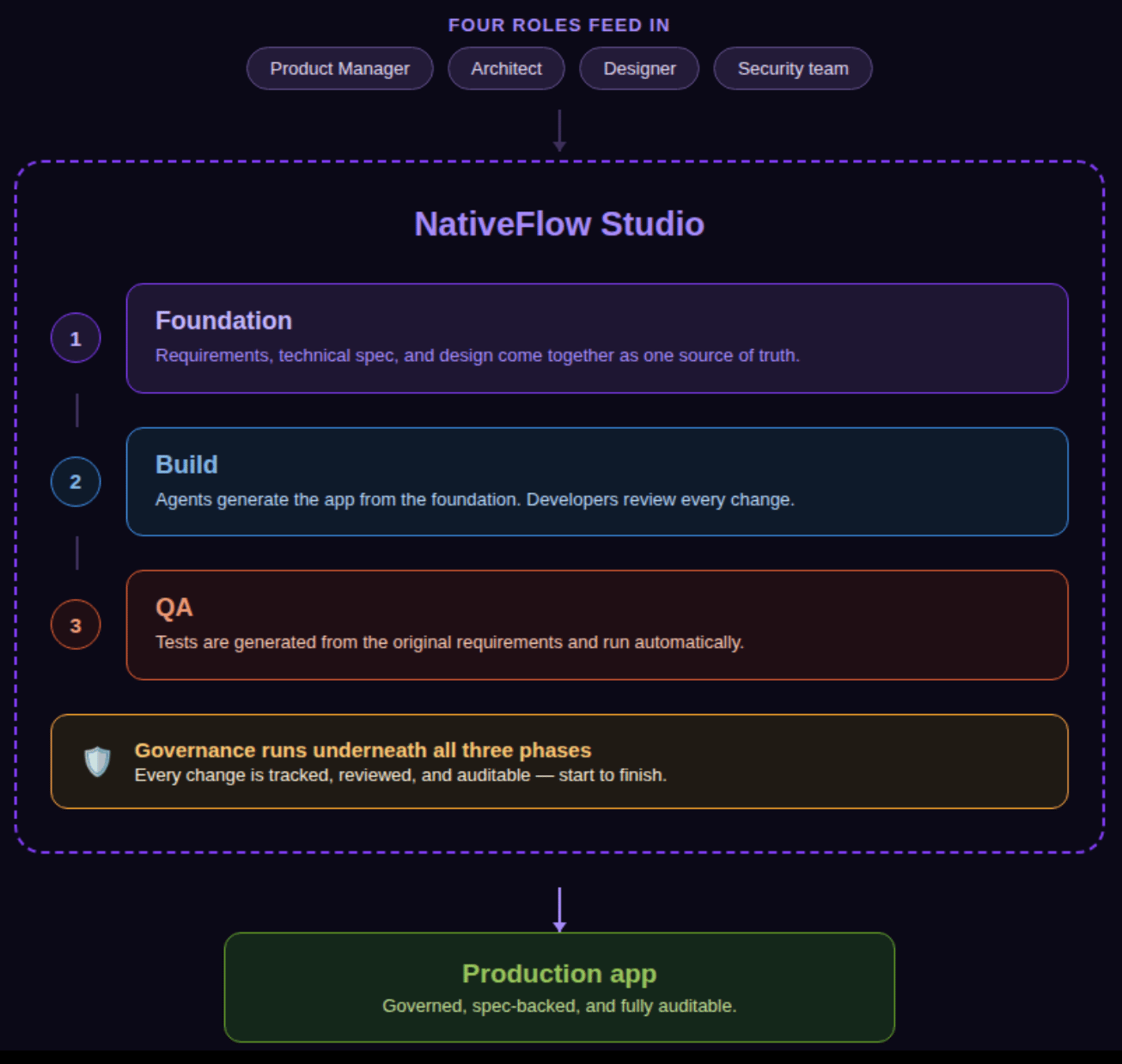
Build from Anywhere
Agents connect to NativeFlow Studio through MCP. NativeFlow exposes its studio capabilities, theming, page creation, data binding, business logic, and more, as MCP tools, so an agent works through a structured, governed tool surface instead of editing raw files. Every write an agent proposes must conform to the SAC (Studio Authoring Contract), the strict, server-side-validated contract that governs how agents can write to a project. There’s no normalizer: a write must already be valid, or it’s rejected. The SAC is what constrains an agent to a known-safe, known-valid set of operations. NativeFlow Studio lets each discipline keep using the tools it’s already productive in. Designers work in their design platforms. Product managers work in their product tools. Architects and developers work in their existing development environments. Through MCP, each discipline publishes its approved artifacts into a shared NativeFlow Studio project, where they become the common foundation agents build from.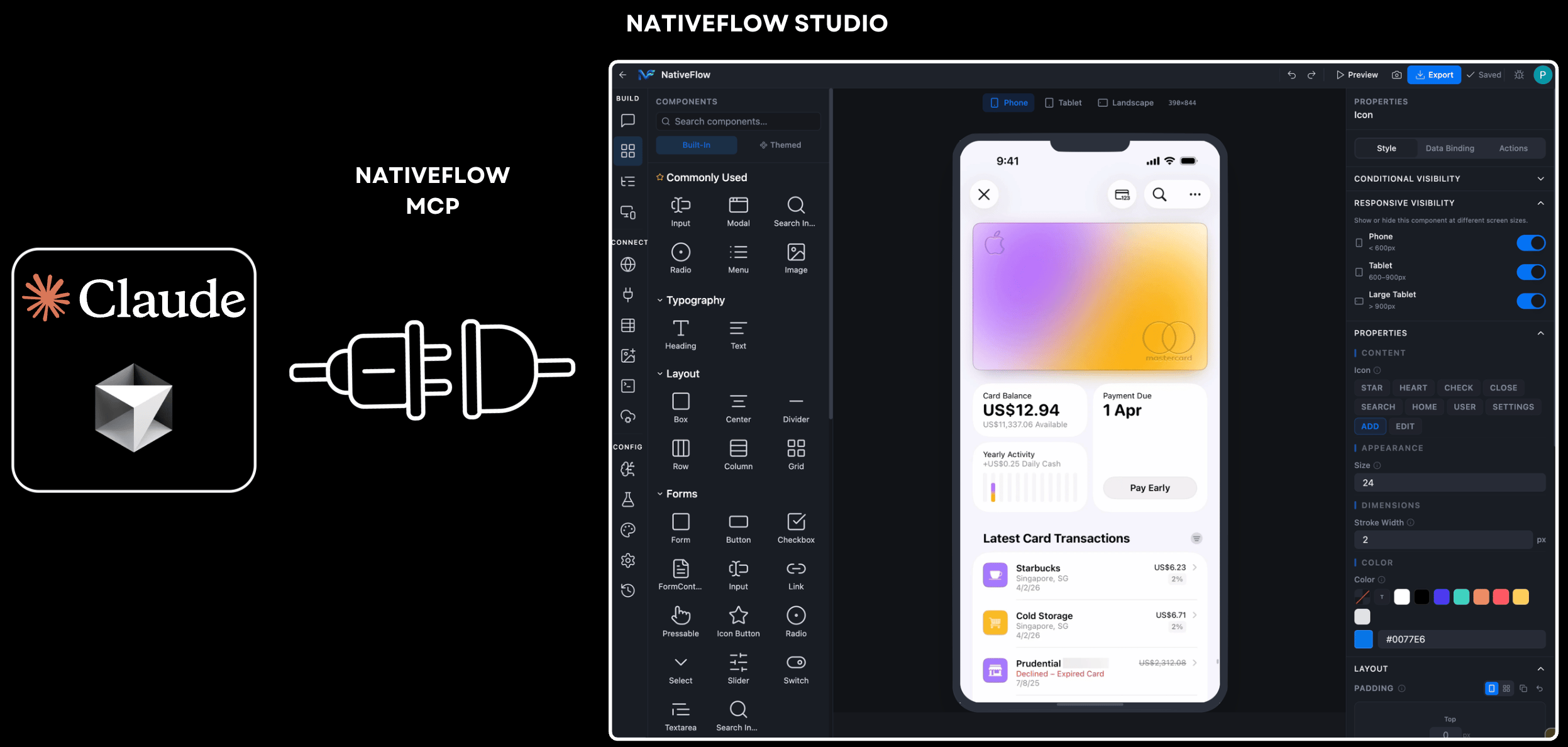
Foundation
Every project starts in Foundation, where each discipline contributes the building blocks agents need to generate the app. Screens, not PRDs, are the source of truth. Foundation runs through six steps, shown in the Studio sidebar and each marked “D” (Draft) until it’s completed:- Design System: designers publish colors, typography, spacing, icons, tokens, themes, and reusable components. This is the single source of truth for the app’s visual language.
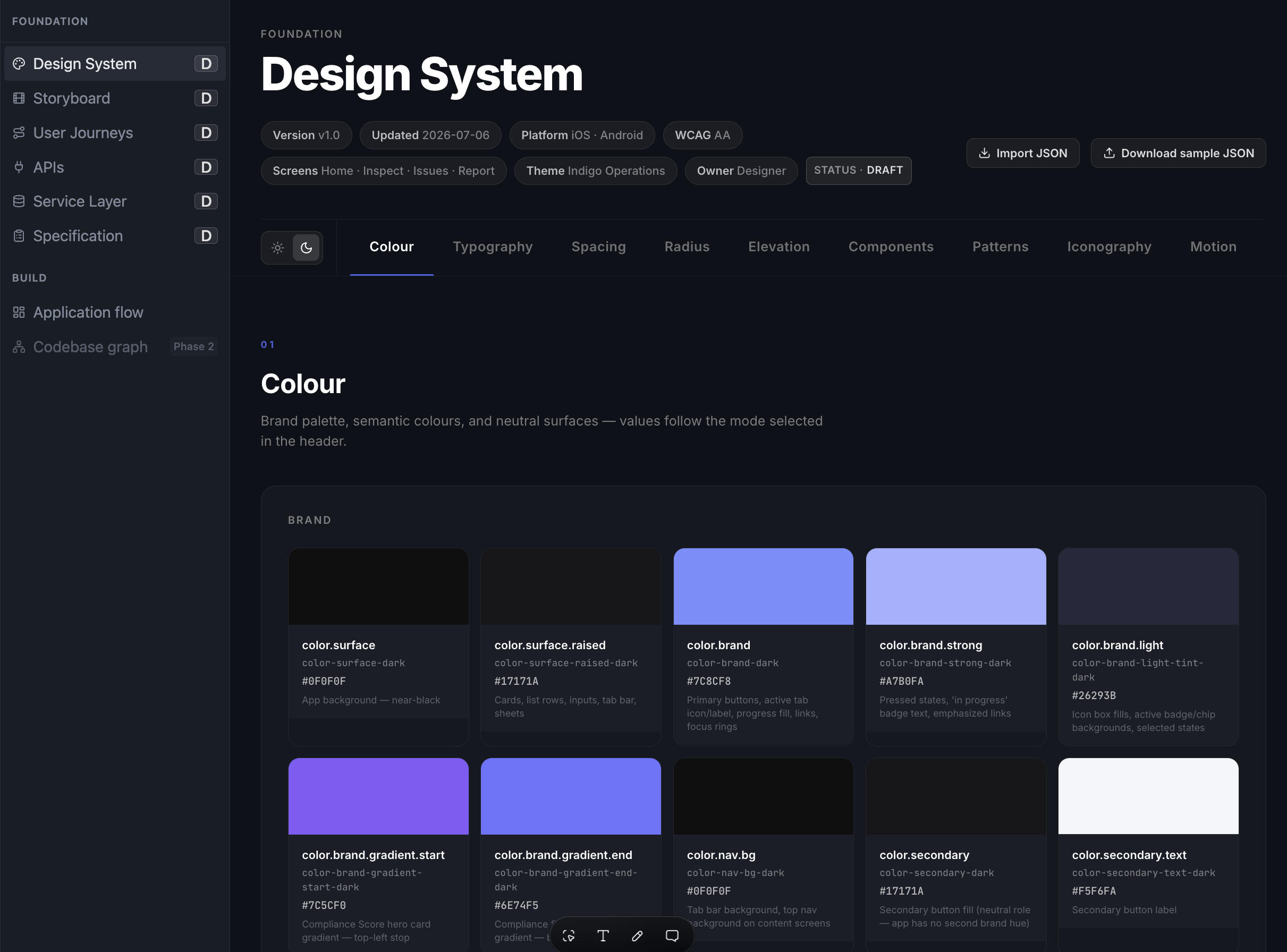
- Storyboard: designers map every screen and the navigation flow between them.
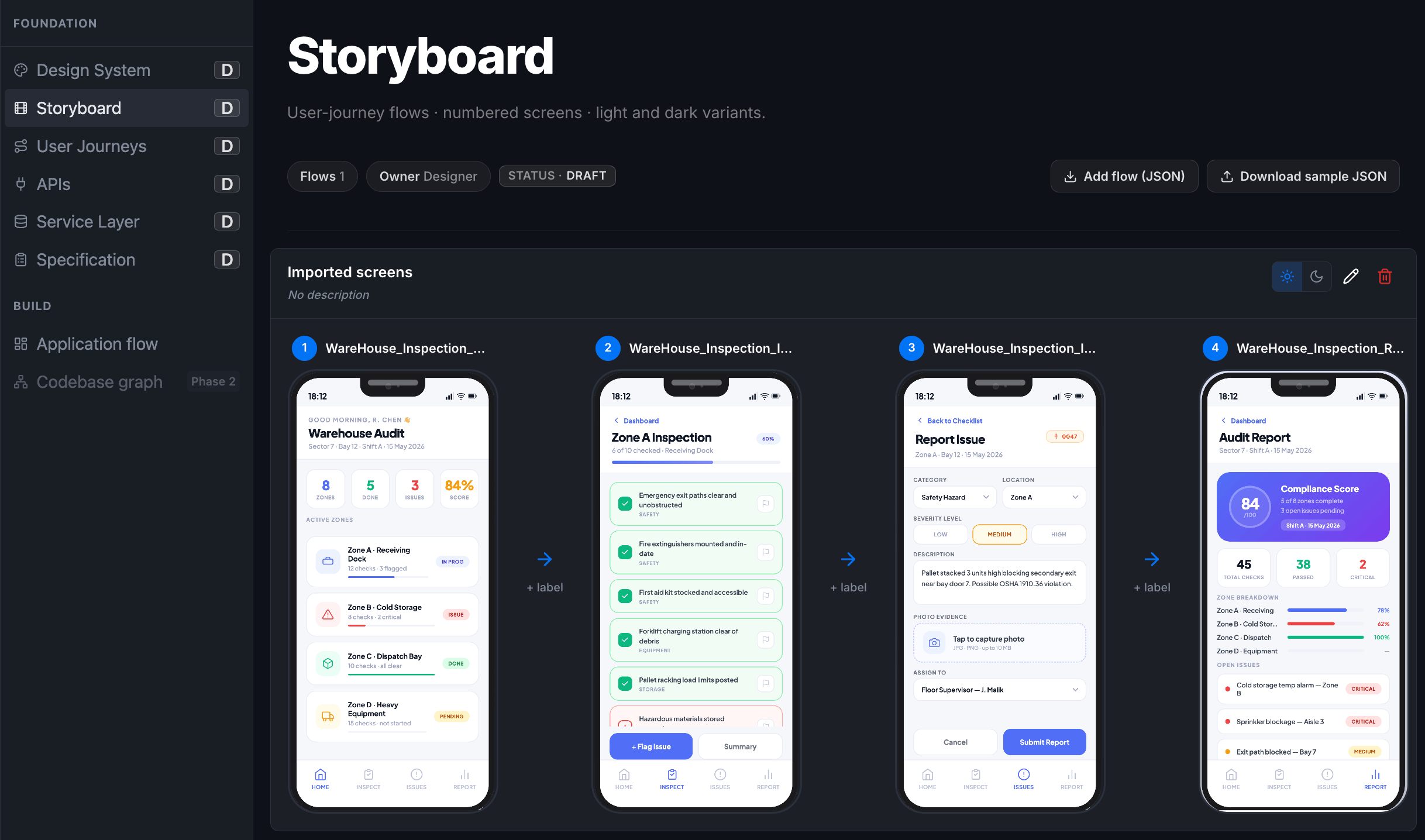
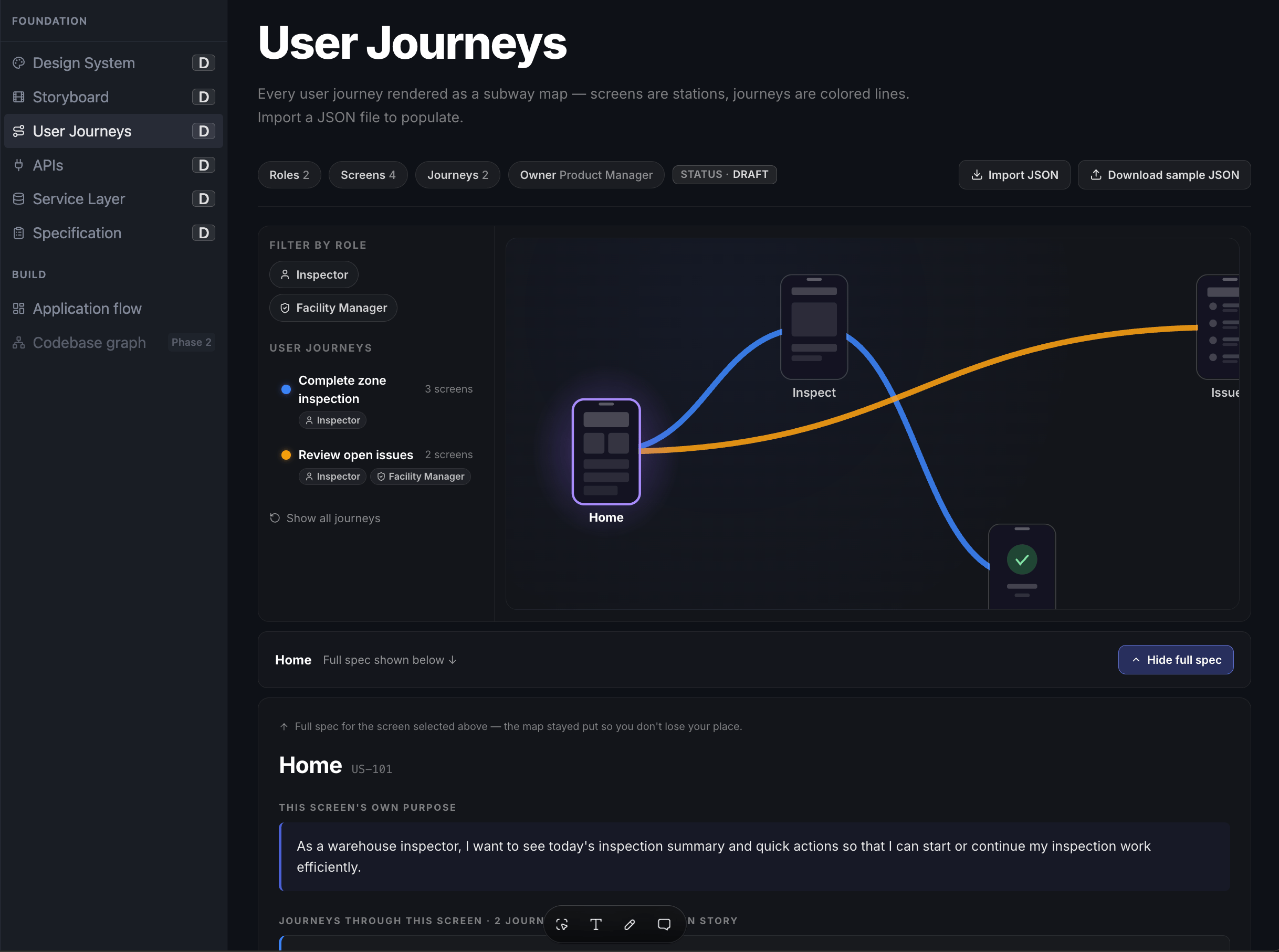
- User Journeys: product managers publish the flows a user takes through the app, mapping business objectives to screens, decisions, and interactions.
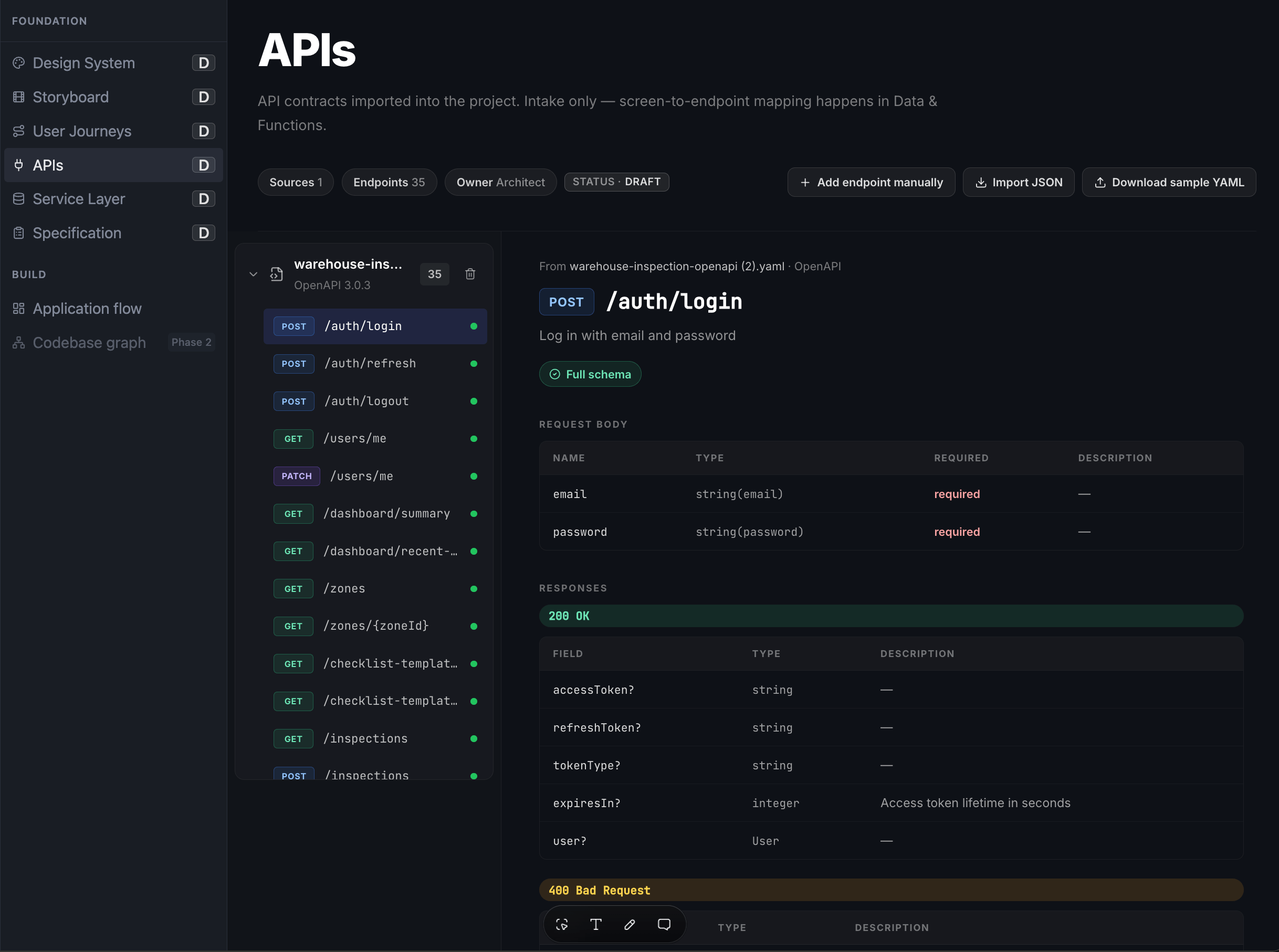
- APIs: architects and developers define the data and function bindings the app will consume.
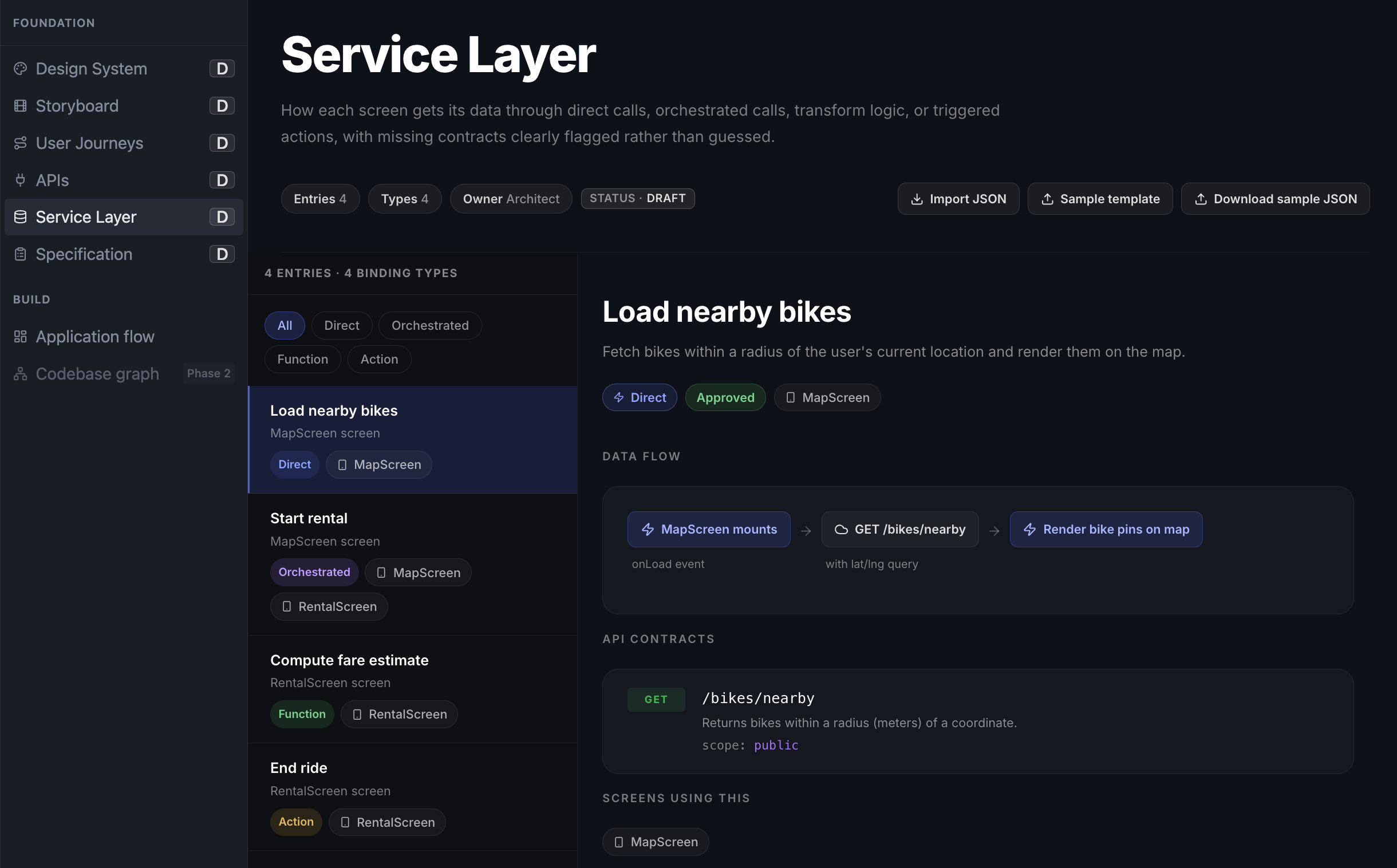
- Service Layer: architects and developers define backend logic and service bindings, using one of four binding types: Direct, Orchestrated, Function, or Action.
- Specification: once the five items above are approved, NativeFlow Studio consolidates them into a single Specification, ready to hand off to Build.
Build
Agents consume the approved Specification and generate a production-ready React Native application. Because every screen, workflow, component, API integration, and business rule traces back to an approved Foundation artifact, the generated app stays traceable to its design, business, and technical sources.Review & Refinement
After generation, the project enters human-in-the-loop review. Agents produce most of the app; developers, designers, architects, product managers, and reviewers keep full control over it. Reviewers open the generated app in NativeFlow Studio and inspect every screen, layout, component, and interaction. They can edit at any level of granularity: dragging and dropping components, rearranging layouts, and adjusting spacing, typography, colors, themes, and individual component properties, all through Studio’s visual authoring experience. Reviewers can also inspect the full component hierarchy, component properties, bindings, service integrations, and app logic, to confirm the generated app matches the approved Design System, User Journeys, Storyboard, and Service Layer.Export & Deployment
Once an app is reviewed and approved, a team can:- Export it as a production-ready React Native source package (ZIP), for further customization or for incorporation into an existing CI/CD pipeline.
- Generate platform-ready installers (Android APK/AAB, iOS IPA), for internal distribution or for publishing to the Google Play Store and Apple App Store.
Who It’s For
NativeFlow Studio is built for enterprise teams building mobile apps, where auditability and change control matter as much as delivery speed. It integrates with enterprise systems across Kafka (Confluent Cloud, AWS MSK), IAM (Okta, Azure AD), push notifications (Braze, Firebase), and ERP/CRM (Salesforce, Workday, ServiceNow).Where to Go Next
System Architecture
How Studio, the backend services, and generated app code fit together.
Two Ways to Build
Building visually in Studio versus building programmatically with an agent.
The Authoring Contract
The full SAC and Change Router model.
Agent Integration
Connecting Claude, Cursor, or Copilot to the NativeFlow Studio MCP server.